 TalkRecorder
Every word,
kept.
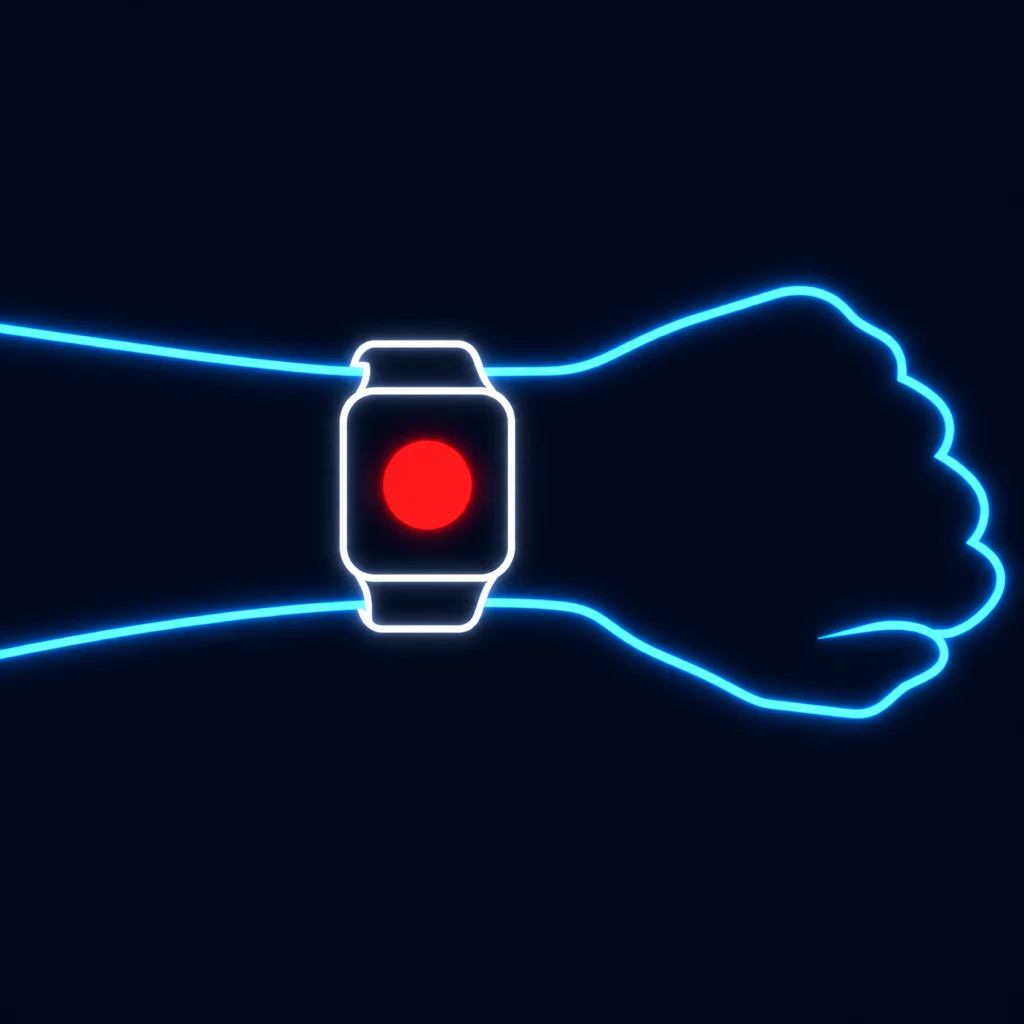
One tap on Apple Watch records the conversations of your day.
No watch? iPhone alone works too.
Transcripts and summaries are made right on your iPhone.
 Free to start · iPhone (iOS 17 or later) · Apple Watch optional
A 27-minute meeting, for example
Know what was decided,
without listening again.
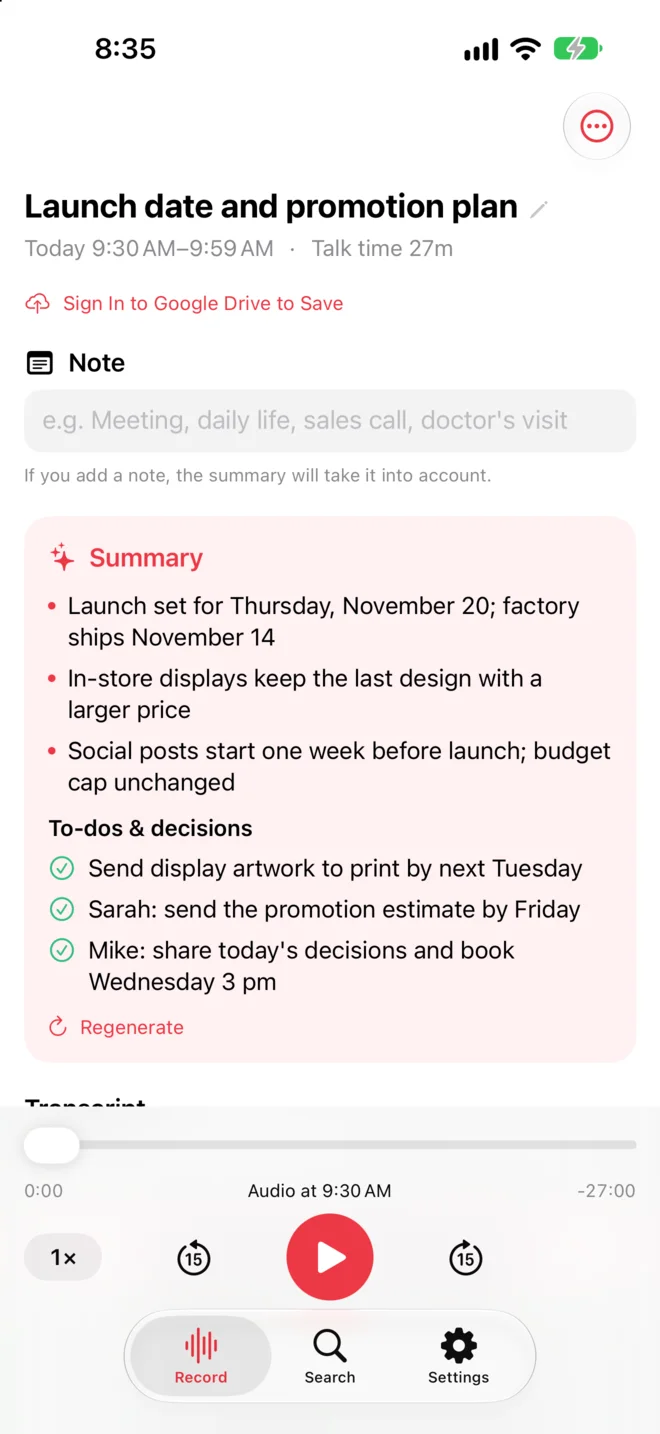
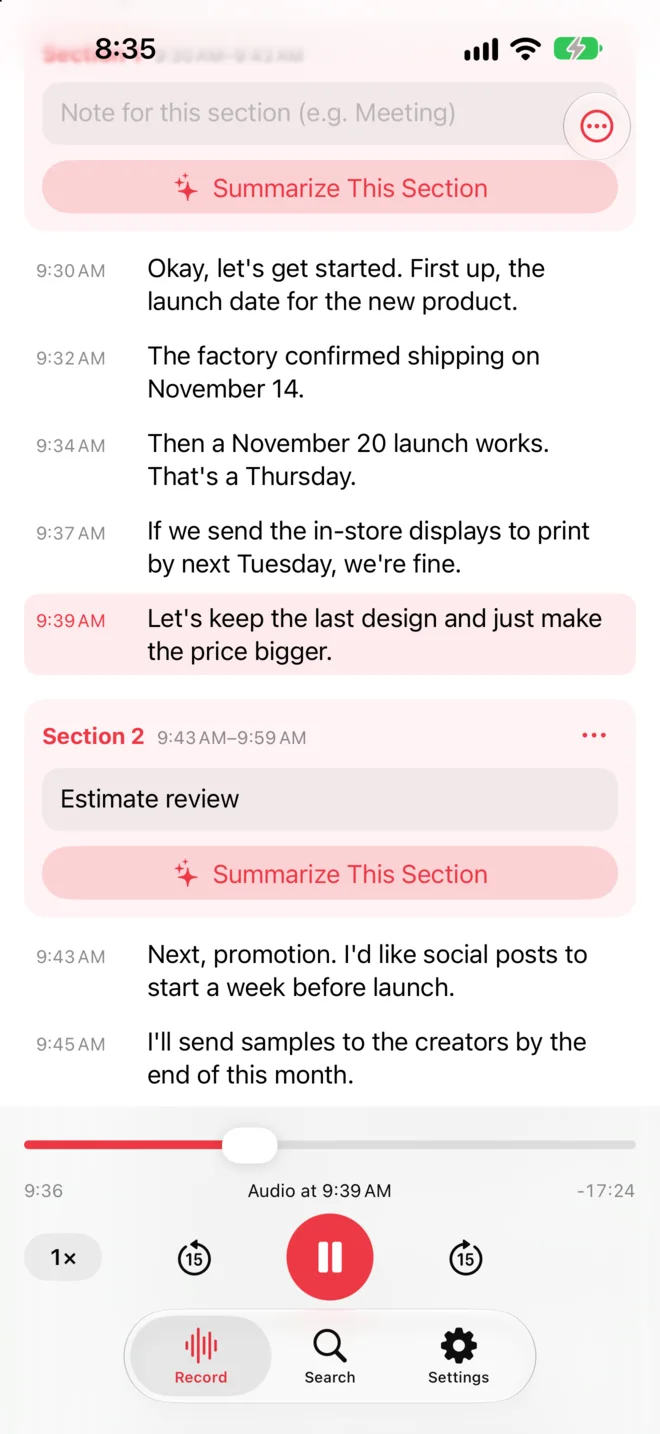
Stop recording and the transcript and summary are ready. Tap any line to play from that moment.
Launch date and promotion plan
9:30–9:59 · 27 min of talk
Summary
- Launch set for Thursday, November 20. Factory ships November 14
- In-store display builds on the last draft, with a bigger price
- Social posts start one week before launch. Budget stays at $5,000
To-dos and decisions
- Send the display design to print by next Tuesday
- Recap of decisions to be shared with everyone
Transcript
- Let's start. First up, the launch date for the new product.
- The factory confirmed shipping on November 14.
- Then a November 20 launch should work fine.
- For the in-store display, let's make the price much bigger.
- Social posts start a week before launch. Budget stays at $5,000.
- Could you send everyone a recap of what we decided?
Apple Watch
Just tap your wrist.
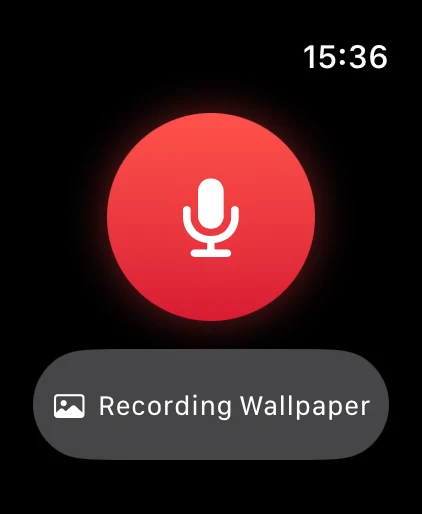
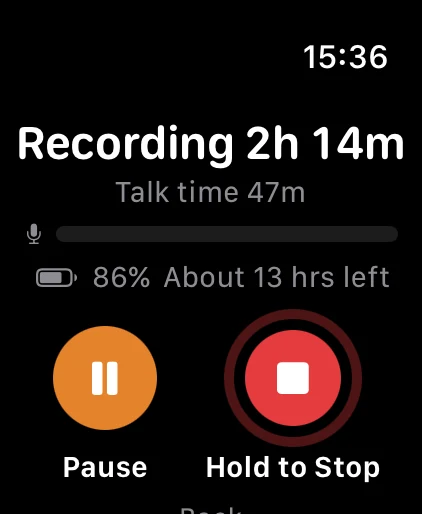
Start with the big red button, a complication on your watch face, or a double tap of your fingers. Recording keeps going when you lower your wrist, and ending takes a long press, so it never stops by accident. While recording, the screen shows a calm wallpaper like the night sky or the moon.
iPhone
Keeps going,
even in your pocket.
No Apple Watch? Start from the record button on iPhone. Lock the screen and put it in your pocket, and recording continues. If a call or Siri interrupts, it resumes on its own, and if it can't, you get a notification.
Read, search, listen again
Your day,
laid out to read.
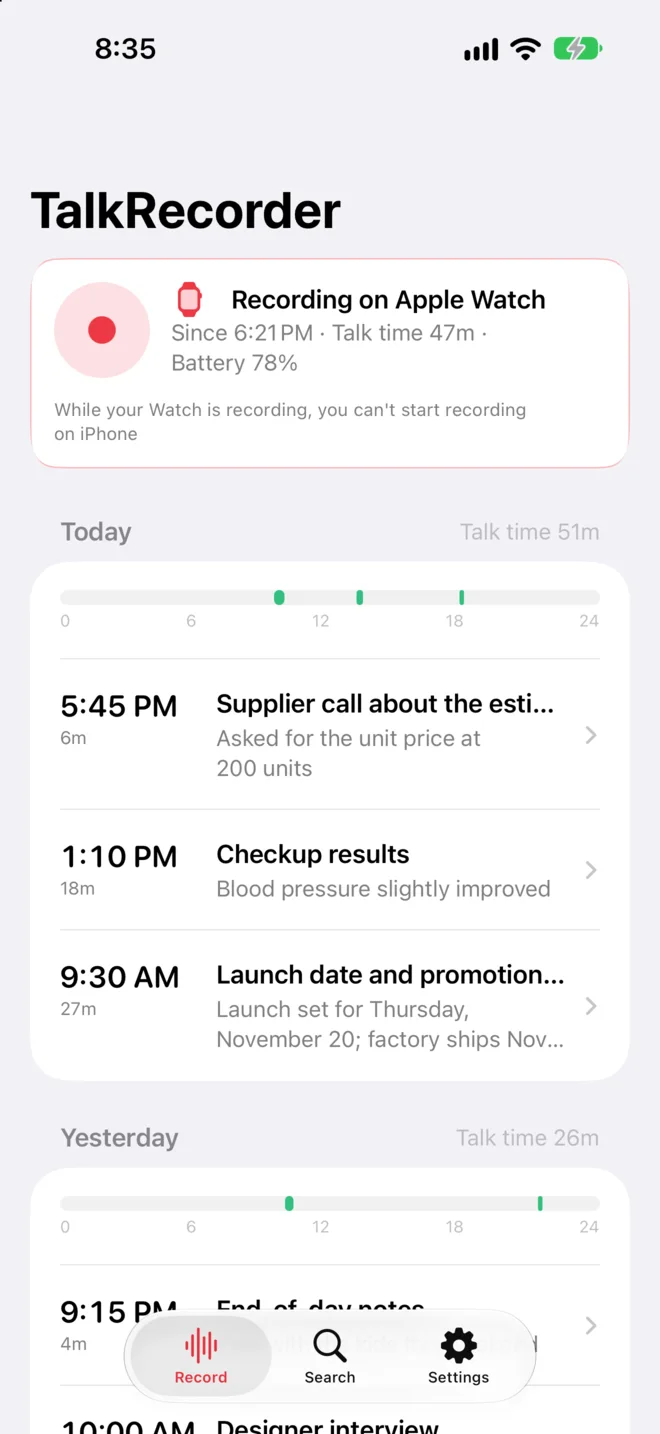
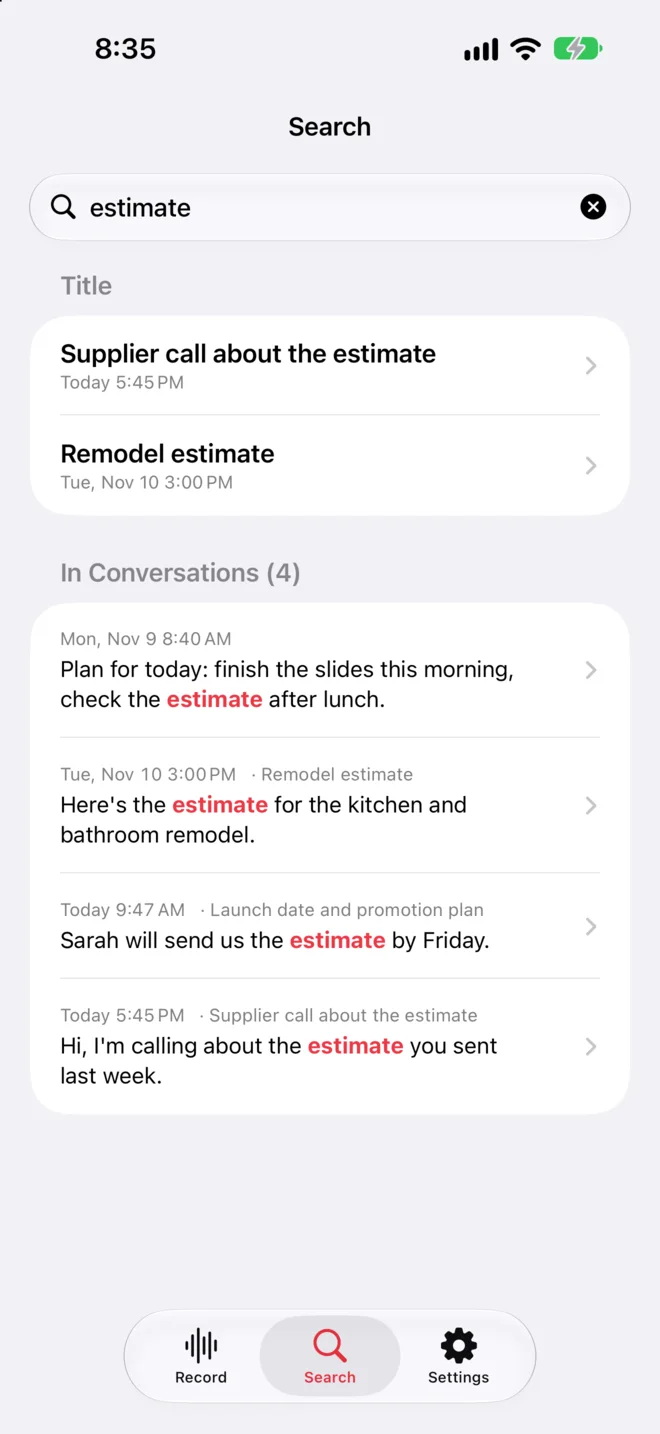
Conversations are sorted by day, so you can see at a glance when you were talking. Search for a word or a name and listen again from that moment.
Make it your own
Reshape the summary,
any time.
Add a note and regenerate
Write a short note such as "meeting" or "doctor visit" and regenerate. The summary is rewritten with your note in mind.
Split it, summarize a part
Long-press a line to add a section heading, then summarize each section on its own. Resuming after a pause starts a new section automatically.
Export text and audio
Share several conversations at once. With a paid plan, they can also be saved to Google Drive automatically.
Privacy
conversations sent to our servers
Your conversations
stay on your devices.
Audio, transcripts and summaries are processed and stored on your iPhone and Apple Watch. There are no developer servers and no account to create. No analytics, no ads. With a paid plan, you can lock the app with Face ID or a passcode.
Data leaves your device only if you choose to use your own API key (OpenAI, Google Gemini, Anthropic Claude) or Google Drive saving, and only to the service you chose. On-device summaries need an iPhone that supports Apple Intelligence.
13 languages
Record and read
in 13 languages.
Pricing
Free to start.
Free
$0
- Up to 10 minutes of recording a day (only time spent talking counts)
- 3 summaries in total
- Open your 5 latest conversations
Monthly
$1.99
/month · first 3 days free
- Unlimited recording and summaries
- Export and share
- Auto-save to Google Drive
- App lock
Lifetime
$8.99
one-time purchase
- Everything in Monthly, forever
- No further charges
Prices shown are for the U.S. App Store and may vary by country. Conversations recorded on the free plan are kept, and open again once you upgrade.
FAQ
Do I need an Apple Watch?
No. iPhone alone can record. With an Apple Watch (watchOS 10 or later), you can start recording from your wrist.
How long does the battery last?
It depends on your device and how you use it. Turn on "Skip Silence" in Settings to save battery and storage.
Where are my conversations stored?
On your iPhone. If you turn on Google Drive saving with a paid plan, they are also saved to a "TalkRecorder" folder in your own Google Drive.
Which languages can it transcribe?
13 languages, including English and Japanese. Choose the spoken language in Settings (it defaults to your device language). On-device transcription works in languages supported by iPhone speech recognition.
Anything to keep in mind when recording?
Please let the people around you know, and get their consent before recording.
Start keeping
today's conversations.